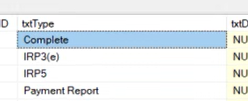
Twopot testing
go to ~\Dropbox\EBSphere\Everest SQL\SQL\2Pot Claims Automation [DO NOT RUN]
Run in all scripts, compare before running from folders: 'Critical Core SPS'
Can only be tested if the products are set up already.
Testing:
Kick off workflow on Everest: Member > Statutory > "Process Withdrawal" (edit > change selected withdrawal amount) (also test recalculate)
User need bank details for two pot withdrawal under the type 'South African 2 Pot withdrawal' - needs to be verified by hyphen (or bypassed for testing)
checks on db:
check tblClaim event where fkimemberid= 'xxx' for blnprocessed = 1 (not cancelled)
check tblworkflowtracking where fkimemberid = 'xxx' as the steps are completed. (validation can fail and create a QA workflow)
automation can be forced using spf_automatedprocesscontrol with hardcoded memberid (can cause duplication)
calculations for disinvestment is done on trldisinvestments_V2
Parent > account > cashflows > memberexitdisinvestment > Multiple Claim Event 2Pot System (to be disinvested as rand) (for your amount) to force disinvestment.
click select under the disinvest claim event amount for mandated amount
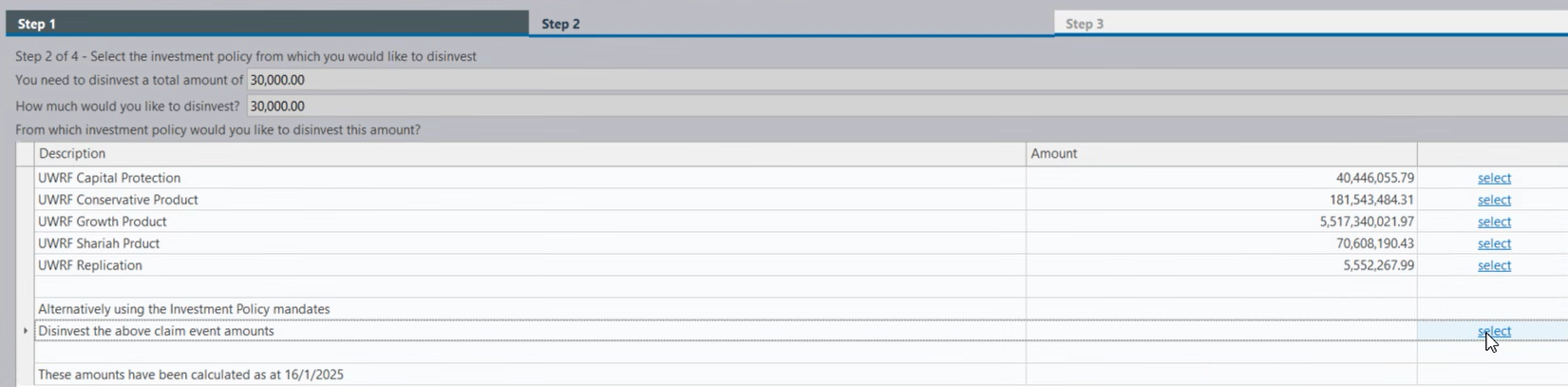
will then create 2 reports to show disinvestment.
check on trldisinvestments_V2 for blncompleted switch in process
Workflow will now move to waiting for switch price.
(force on test finswitch handles this usually) Accounts > Cashflow unit prices. Find your transactions and set the price(bnid and offer). click confirm on transaction.
check on tbldisinvestements_V2 for FinalDis, 
If Finaldis is present then the pricing was successful
Fee: Admin > financial settings > claim event fees. load on parent level
Tax upload (won't happen on staging): force on staging using SP_ClaimEventTaxUploaded 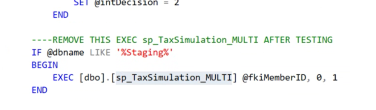 set current dbname in both sps, tax sim simulates a sarsimport
 shows success
Validate payment requisition happens next - automated
EFT approval next: simulate on staging: Accounts> BatchEFT Authorisatio n> claim event authorisatiion (creates a workflow Batch payment approval)
Complete step 1 on workflow
on step Authorise 1/2 click on 
here users check values. user clicks first approve 
approve second in sSQL : TMPEFT where fkiMemberID = 'xxx'
UPDATE tmpEFT
set blnBankAuthorised=1
where fkiMemberID = @fkimemberID
and txtGroup ='Multiple Claim Event'
and blnBatchCompleted =0 and blnBatchdeleted =0
waiting for EFT to be released:
accounts > payment management
choose banking system > see payment - click on include 
now hyphen will pick up OR can be done manually for testing(not doing a real payment) using:
UPDATE tmpEFT
set blnBatchCompleted=1
where fkiMemberID = @fkimemberID
and txtGroup ='Multiple Claim Event'
and blnBatchCompleted =0 and blnBatchdeleted =0
will generate payment report next using autoclaimdocument service