pull-requests
Version 3.1 by Rudi Marais on 2022/02/08 10:11
Setup "My Pull Requests"
This allows you to see pull requests under a repository on your dashboard
- Go to: https://dev.azure.com/ebsphere/
- Click on "My Pull Requests"
- Click on "Customize View"
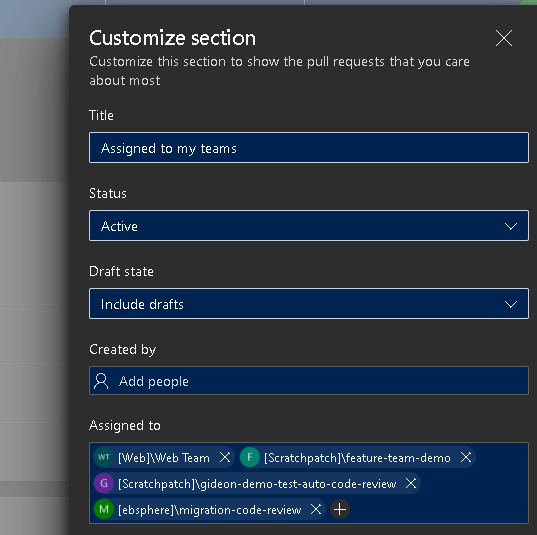
- Click on "Assigned to my teams"
- Under Assigned to put the review team ie: migration-code-review
Sample screenshot
Viewing Pull Requests
You can view all pull requests across all repositories by going to the "My Pull Requests" landing page: https://dev.azure.com/ebsphere/_pulls