Member Exit Disinvestments
MEMBER EXIT DISINVESTMENTS
BY

Introduction
During the exit process Everest creates disinvestment accruals relevent to the exit.
If claims are not processed automatically via the Cash Management Account, you need to process the disinvestment via Member Exit Disinvestments.
Member Exit Disinvestments
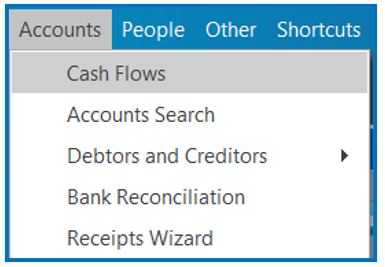
Ensure that the correct Parent has been selected in Everest. Go to the Accounts Menu and select “Cash Flows”:
On the Cash Flows screen, double click on the view hyperlink next to Member Exit Disinvestments:
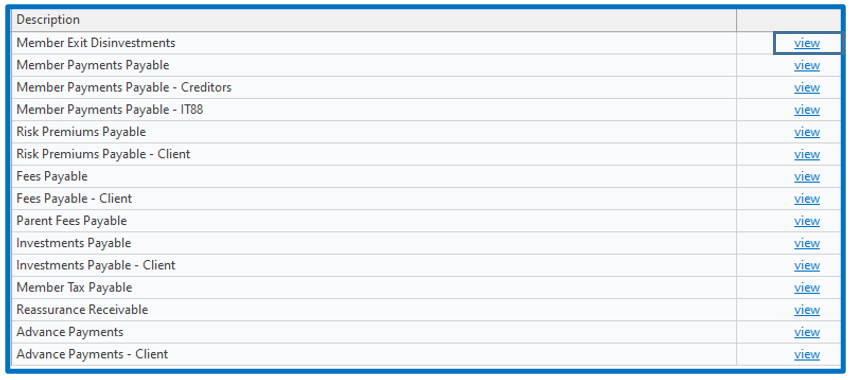
Step 1 – The screen that opens will reflect all disinvestments that are ready to process:

Double Click the select hyperlink for the disinvestment you want to process.
Step 2 – The screen that opens will reflect two sections, as detailed below:
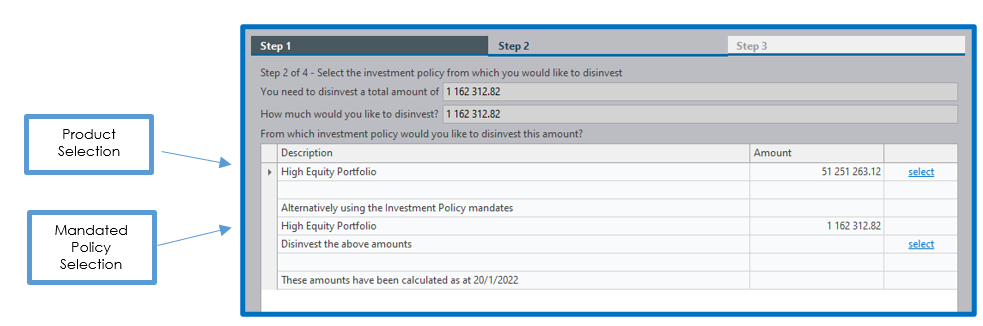
Both options use the Product mandate for disinvestments – we suggest the first option is used.
Select the Investment Product you wish to disinvest:
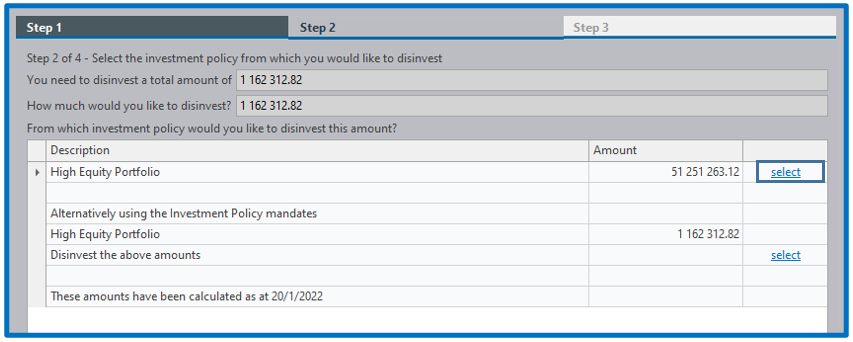
Step 3 – this screen summarises the transaction that will be performed:

Click on the “Finish” button at the bottom of the screen. A batch editor screen will open:
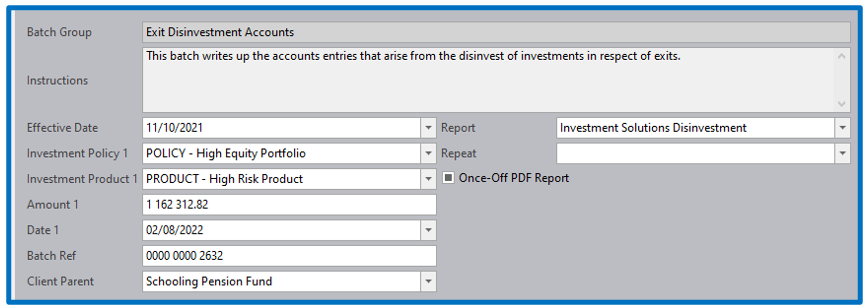
NB! – Date 1 must only be changed if you are doing a catchup exercise. Do not change the Effective Date.
If the amount is changed this will ratio the disinvestment between all the members included in the batch and is not advised.
Select “Save” and “Execute”.
A confirmation of the trade on Everest is produced:

When the trade file is received from the investment manager, you need to price the transaction via “Accounts → Cashflow Unit Prices”.
Disclaimer and Copyright
DISCLAIMER
Please note, whilst care is taken to illustrate numerous scenarios, it is impossible to detail all instances and therefore this document should merely serve as a guide for the purposes of demonstrating system functionality and conducting employee training.
In accordance with the above paragraph, this training manual is published and distributed on the basis that EBSphere (Pty) Ltd is not responsible/accountable for any actions taken by users of information contained in this training manual nor for any error in or omission from this manual.
EBSphere (Pty) Ltd does not accept any responsibility whatsoever for a misrepresentation performed by any person in respect of claims, losses or damage or any other matter, either direct or consequential arising out of or in relation to the use and reliance, whether wholly or partially, upon any information contained or products referred to in this manual.
Further, the contents of this training manual are subject to change without any notice and further highlight the need for this training manual to serve only as a guide.
COPYRIGHT
This documentation and the software described in it is the exclusive property of EBSphere (Pty) Ltd. This manual or the software may not be copied in whole or part, without the express written consent of EBSphere (Pty) Ltd. Under the law, copying includes translating into another language or format.
EBSphere (Pty) Limited
P.O. Box 785803
Sandton
2146